Issuing Repeat Medication
The Medication screen allows you to issue and reauthorise repeat medication. These are not printed, only issued.
- From the Patient Summary screen select Medication
 .
. - The Repeat Medication screen displays and defaults to Repeats:
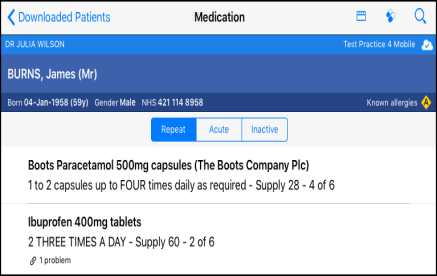
- To issue repeat(s) select Issue
 .
. - All the active repeats are automatically selected for issue:
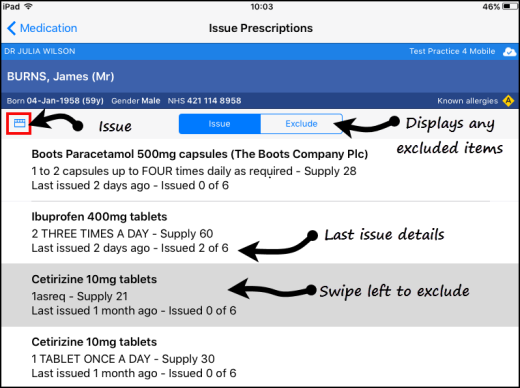
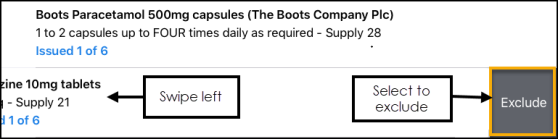
- Swipe any unwanted drugs to the left to Exclude:
- Next select Issue .
- As the prescriptions are being issued a message displays on the top of the screen:

Note - The repeat prescriptions are not printed, and show in Vision 3 as unprinted medication.
Important - Please be aware, Vision Anywhere only displays Medication from the last 2 years.
See Reauthorising Medication and Stopping and Restarting Repeat Medication for details.

